Skip to content
We are Changing Our Name to GB Web Factory, New Website Coming Soon - Check Back Regularly | talk to us: 01492 580572 sales@gbwebfactory.com
Blog Post: Clutch 5 Star Review.

Five-Star Web Design Services with EWD

Five-Star Web Design Services with EWD

Making users visit your website requires an enormous amount of effort — making them stay is another thing. According to a study, it only takes 50 milliseconds for users to form an opinion about your website. That means you only have .05 seconds to make your hard-earned visitor decide whether they will stay, or leave.

As a website owner, making a good first impression should be among your priorities. Lucky for you, we are here to help.

We are EWD – a North Wales-based website development and design agency that has been working with UK businesses for over 20 years. We are focused on delivering high-quality websites that get noticed and draw engagement, but at the same time, represent our client’s brand and vision. After the site is completed, our service never ends as we offer unlimited and free support.

Aside from website development, we also offer all the services you need in order to run your website like advice about search engine marketing, social media marketing and email marketing; we can also help with data entry, and more. Our professional team of experts guarantee seamless design and striking content to ensure our clients’ sites draw a good ROI.

We are happy that, once again, our work was validated with a review from Clutch. A B2B ratings and reviews firm in the heart of Washington, DC, Clutch connects businesses with the best-fit agencies or consultants they need to tackle their next big business challenge.

The review was about our work with an online florist. We upgraded the design of their WordPress website. We gave it a sleek, modern, and professional look to reflect their brand. After delivering the site, we provided training on how the client could update the site by themselves.

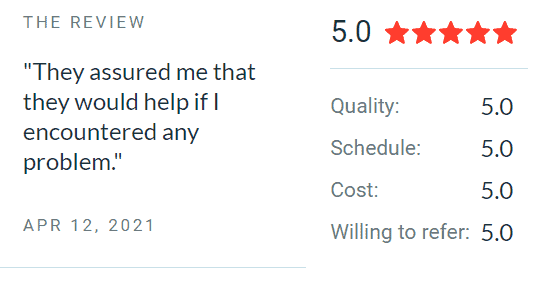
Made By EWD Review: Pont y Twr "They assured me that they would help if I encountered any problem."

We are pleased to know that the client was happy with our work. They praised our working style — with everyone we work with, we are always personable and helpful. They were so pleased with our service that they gave us a five-star rating.

Another client was a homecare service provider. We redesigned their WordPress website to update its look and feel. We appreciate that the client trusted us so much that they allowed us to work on the project almost independently. After that, we hosted the website.

Although the site did not serve as a lead generator, we still made sure to deliver it in high quality. The client praised our efficiency and responsiveness. We delivered all our tasks and met their expectations. Here’s what they have to say:

“I appreciated that I could always get a hold of them and that they get what we’re trying to achieve. They didn’t plug us into a model that didn’t fit our needs. Instead, they provided an affordable solution.” – Director, Affinity Homecare Ltd.

Again, our client was so pleased with our service that they gave us an across-the-board five-star review.

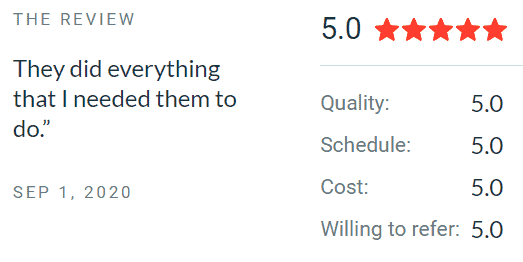
Made By EWD Review: Affinity Home Care 5 star review "They Did everything that I needed them to do"

Lastly, we are honoured to have been included in The Manifest’s list of top web design companies in the UK. The Manifest is a Clutch sister site that collects practical business wisdom to help managers, entrepreneurs, and industry leaders achieve their goals. It’s a distinction that we are proud of.

Receiving such positive feedback about our work only inspires our team to work harder and help more firms with their web design needs.

Does your website need a design upgrade? Contact us today and let’s start working together.

EWD Named by Clutch among Top Web Designers in the UK for 2021. Photo shows Clutch Top Web Designers Award 2021 badge.

EWD Top Web Designers 2021

EWD Named by Clutch among Top Web Designers in the UK for 2021

EWD Named by Clutch among Top Web Designers in the UK for 2021. Photo shows Clutch Top Web Designers Award 2021 badge.

We have been named among the Top Web Designers in the UK for 2021 by Clutch. There are many resources online that will help you separate your work from your competitors. After all, the more unique your presentation is, the more people will notice your presence. Still, if you really want your business to take off and dominate the online space, investing in web design is one of the most effective ways to capture unrealized attention.

For over 20 years, EWD has been helping businesses craft a sleek and modern identity through web design. Every time a client engages us, we do our best to embody their vision, allowing us to create a presence for them that will stand out. With that in mind, we feel especially joyful to hear the news that we were included in Clutch’s rank of top web designers in the UK for this year.

Clutch is a ratings and reviews platform in the B2B space that aims to eliminate the tedium of sifting through irrelevant information about service providers. Since its inception, Clutch has become the one-stop-shop of reviews for buyers that are searching for the best company to hire. Each year, the platform evaluates and groups the highest-performing firms, regardless of their size and popularity, in the Clutch Leader Awards.

We’re grateful to be recognized by Clutch as a leader in the industry. Our CEO, Jonathan Roberts, said, “We are delighted to have been named one of Britain’s top B2B firm by Clutch.”

Here are what some of our clients have said about us:

“Their willingness to adapt to what we need has been very impressive.”

— Barrie Roberts, Managing Director, Aberconway Consulting

“The knowledge base for the industry they are in is unmeasurable.”

— Martin Roberts, Director, Electroquest UK Ltd

Want to Know More?

Be sure to check out our Clutch profile
If you are interested to know more about our projects with these lovely customers. Or, if you’re looking for a partner in your next project, our inbox is waiting for you.

Responsive web design article by EWD. Graphic shows a WiFi icon to the left in black with the wording responsive web design to the right on a yellow background.

Responsive Web Design

Responsive Web Design

Responsive web design seems to be a hot topic at the moment. I am sure you have received emails from companies offering to make your website responsive, or provide a new website.

In this article, I want to help you cut through jargon and find out what Responsive Web Design is I will also look at why it is important to your business.

blog post: responsive web design. Couple using mobile devices to make a purchase, woman holding mobile phone with a card in one hand ready to buy with her partner looking on.

What is Responsive Web Design

Simply put, responsive web design is all about ensuring your website looks good on any device. This is regardless of whether it is a mobile phone, a tablet, a laptop or a traditional computer.

Note that I did not say that your website will look the same on any device. Often, it will look different on the device your customer views your website to what you see on your computer.

You may be viewing your website on a traditional desktop computer with a screen size of around 19” or greater. However, your customer may view your site on a watch! If your site looks the same on a watch and a computer screen, the site would be impossible to read. This is because it would be a smaller version of your site.

Instead, because of responsive web design, your site will display in a single column. This type of adjustment is repeated on millions of different devices ensuring the site looks its best.

Your website, whilst having the same content and colour scheme will have a different layout for each device.

This isn’t achieved by having a different version of your website for each of the devices. This was normal a few years ago. When you had a new website built, you would also receive a version built for mobile phones. The likelihood is it would have a URL similar to this https://m.yourdomain.com.

This has changed with the advent of responsive web design. Instead of having multiple versions of your website for each of the device types available. There are special codes behind the scenes how your website is to look on each of the different devices.

Why Should You Have a Responsive Website?

If your website isn’t built responsively it can look bad on devices other than the one it was built for. Older web design technologies didn’t have the code to ensure your website looked great regardless of the device. Many times we have seen a company or sole trader lose business simply because their website was unusable on a phone or other mobile device.

Statista is a company who constantly gather information about how we use the internet. They produce a report each year about the growth of the internet is viewed on mobile phones.

52% of website traffic was on a mobile phone during 2019 statista.com June 2020

Mobile Traffic is up by 222% in the last seven-years broadbandsearch.net 2020

With the growth of mobile phone use across the world, it is becoming more and more important to ensure your website can be viewed on mobile phones and the design of the website ensures it is easy for mobile internet users to navigate through your site and either make contact with you or buy your products and services directly from their device, regardless what that device is.

Quite often you will see savvy shoppers browsing in a store using their mobile device to check if they can buy the same product online. Your website must be easy to use on their devices to ensure they use your website and not competitors.

The Future

I do not need to get the crystal ball out to predict that more and more people are going to use the internet to make purchases, book events, contact companies etc. they are going to use traditional computers less and less because of responsive web design. This is easy to predict because it is already happening. Just as people have moved away from using traditional phones to mobile phones (many households do not have a landline anymore!) so they want to be able to use the internet wherever they are, this means mobile devices are here to stay and will be used more and more.

Conclusions

People are being freed from being stuck in the spare room to view the internet and do their shopping, more and more they can use the internet on different devices wherever they are. As people are using mobile devices over the traditional desktop computer, you need to ensure your website can meet their needs or they will go to a competitor.

Responsive web design ensures your website will be seen no matter what device is used.

Don’t give your competition your business, check if your website is responsive at https://search.google.com/test/mobile-friendly. If it passes, congratulations. If it doesn’t contact your web developer. Of course, we can help you too, get in touch now to discuss your new website and ensure you don’t lose customers to your competition!

Reach Your Customers Wherever They Are

Why Blog? Blogging Is A Great Marketing Tool For Your Website - Graphic Showing Laptop With Various Icons Around It And The Title Blogging

Why Blog?

Why blog for your business?

Blogs have been around for quite a long time, in fact, they have been around since Justin Hall created Links.net, widely accepted as the first blog, in 1994.

Today there are well over 2m blog posts created every day! (http://www.worldometers.info/blogs/)

So, why blog for your business? There are many reasons, each will be considered in turn:

Visitors and visitor conversion

By having a blog, it shows your visitors that your website isn’t dead. It shows them that you value your website and your business. It also shows them you know what you are talking about when it comes to your products or services. By building a level of trust, visitors to your website are more inclined to buy your products or services. This leads to a good visitor conversion rate from your website.

Establish authority and your brand

By writing good content that people really want to read, you are setting yourself and your business as authorities in your field. Let’s face it, you got into the business because you passionate about your products or services. It is this passion that you need to show in your blogs. If you have a great product or service, tell people why they are great.

As you publish more and more blogs, your visitors will come back, to see the next post in the series, or to see what new content you have. This all helps you to establish your authority in your market and promote your brand.

As your visitors communicate with your through comments and receive good quality answers, you will be building a good relationship with those customers. They will see you as someone who cares enough about your products or services and customers to take the time to discuss them. Good customer relationships build good customers for your business.

A good way to release news

Have a piece of news you want to share or launching a new product? Your blog is the perfect way to reach your potential customers. It is far better than your local newspaper for the simple reason that the internet reaches far more people than any traditional newspaper could ever dream of. That is why most newspapers these days have a very active website.

You can build anticipation for your new product by releasing teasers in the days before. This will encourage visitors to keep checking back to see what the product is. This is done very successfully by big companies such as Samsung and others. In conjunction with other advertising, your blog is the perfect place to launch new products or share news about your company.

Help keep your content fresh

You will have visited a website that had old out of date information. In some cases of really old websites, they will even have the ‘last updated’ message showing, often this is years previous.

This is actually the mistake of many many business owners. Pay a lot of money to have a website developed and then leave it sitting there hoping it will bring you money. It won’t!

Like everything in business, the success of a website is determined by the effort you put in. Nobody pays you to do nothing. It is the same with an old website. You will, as many others before you have seen how old the website is, or that the content hasn’t been updated since the year dot. Like those previous visitors, you will just leave without interacting with the business. Not even sure if your email has been sent from the website. This type of website can be compared to the shop that has been closed for weeks. Eventually, people will stop checking if it is open.

People like new things. It is the same with content. If your visitors see that you change and/or update your content regularly, they are more inclined to return to see what is new. This is the exact opposite of what was happening above, where visitors http://imagineear.com/pharmacy/ just weren’t returning.

Google also likes to see new content. Google crawls (its program indexing a website) a website that is kept fresh regularly, even daily. Web sites it determines aren’t updated often may only be crawled 6 monthly or even annually. There is a distinct correlation between how often your site is crawled and the importance Google places on it. The more important websites are moved higher in the Google rankings.

It is vital to keep your content fresh. Both for your visitors and to help improve your Google rankings (other search engines are available). A blog is a perfect way to keep your content fresh. By regularly writing a blog you are ensuring the new content on your website.

How often you blog is up to you. There have been various studies to show that the more you blog, the higher you will be in the Google rankings. But nobody wants to be a slave to their blog! Niel Patel has a blog post to help you decide how often to write a new blog post. Visit the article here: 5 simple steps that’ll help you determine how often you need to blog.

What to include in your blog

As well as your content it is always advisable to include some extras with your blog to make it easier for your visitors to read and to help Google index your blog.

Social media

Links to social media at the bottom (or top) of each post, allows your visitors to share your content if they find it useful. You should always include social media links for Facebook, Google+, Twitter and LinkedIn, together with an option to send the post as an email or to print it.

High-resolution graphics

The old adage that a picture speaks a thousand words is true. You should include graphics that help get your point across. In today’s HD and Ultra HD world, they should be high-resolution graphics or they will look very nasty on some of the larger screens.

Keywords

Simple subject keywords will help you rank higher. But a big note of caution, Google has some very strong metrics to work out if you are just trying to spam those keywords in your blog. So keep it realistic, for a 300-word blog, you should use your keyword 4-6 times at the most. Instead, the keywords should be used naturally in your blog.

Tags

These help to keep topics together in your blog. As you write posts, adding the tags builds up topics you have written about, tags help people (and search engines!) establish what your blog post is about. Users can click on a tag and receive a list of your posts that contain that particular topic, this is a very useful navigation tool.

Call to action

Every single thing you do in advertising and marketing should have a call to action. A call to action asks your visitors to do something at after they have read your post. Such as, enquire about your product/services, ask for more information, make a purchase and so on.

It is the call to action that turns visitors into customers.

Final thoughts

A blog can actually be a fun way for you to engage with your customers. As you become more confident with writing a blog, you will find it much easier. It may even be the case that you want to write it more than you had originally intended.

Your blog can help your website stay current with regularly updated content, it is a great way to release news about your business and establish your brand. By including a blog with your website, you will establish yourself as an authority on the subject matter of your business. It will also bring you new visitors to your website that will become regular customers.

Do you want a blog on your website? We can help you. Get in touch now to discuss your blog and your website https://esthetig.com/contact/


Wannacry Ransomware Is A Prolific Attack On Computers. Our Solution Works For All Ransom Ware And Is Useful To Help Protect Your Computer And Your Life From Becoming A Victim

Ransomware


WannaCry Ransomware  – What Can You Do?

You cannot have missed news about the WannaCry Ransomware attacks and how it hit the NHS Trusts and various countries around the world. It was everywhere, the main news on every news broadcaster, the main headline in every newspaper, the government held a COBRA meeting. It was treated very seriously indeed. Not just WannaCry, there are quite a few ransomware exploits out there, but in all cases the following advice is relevant.


What is WannaCry Ransomware?

But what is WannaCry Ransomware? Quite simply it is a malware program that infects your computer, its sole aim is to password protect your hard drives and then ask you for money to receive the password. In the case of the WannaCry Ransomware the thieves want in Bitcoins, quite a lot of money. But then, so is the cost of losing a companies documents and other sensitive data.

Does it affect the home user? You bet it does! Imagine losing your letters, more importantly all your photos?

Why would you lose those important critical files, documents and cherished photos? Quite simply the people who started the attack have no intention of giving you the password even if you pay. When you pay them, they simply ask for more money, never giving you the password, no matter how much you pay.

Bear in mind, at this point your computer is infected, paying via the link provided will reveal your bank details to thieves, you could end up losing a lot more than the ransom amount!

How does a computer become infected?

The thieves behind WannaCry Ransomware and, indeed, any ransomware out in the wild, are very deceptive. Note the use of the term thieves here, they aren’t hackers. Hackers by definition are anyone who writes code well, so any programmer technically is a hacker. No the people behind ransomware don’t care who they get the money from or the distress it causes, they are in it for one thing, money. So they are thieves.

Most malware and that is what WannaCry Ransomware is, gets into your computer by tricking you. Quite often an infected computer will send you an email with the malware attached, this will normally be from someone you know, so why wouldn’t you open it? Other ways include a pop-up telling you your computer is infected, you have won a prize, offering a service, these are designed to infect your computer as soon as you interact with the pop-up and that includes clicking the close button. Visiting a website that is already infected is another way.

What can you do if your computer is infected?

If your computer is infected with WannaCry Ransomware there is only one course of action that doesn’t involve you giving your bank account contents to thieves. It means wiping the computer and reinstalling a fresh copy of Windows. It is that drastic. The passwords they put on are so long it is impossible to crack them.

Breaking a symmetric 256-bit key by brute force requires 2128 times more computational power than a 128-bit key. Fifty supercomputers that could check a billion billion (1018) AES keys per second (if such a device could ever be made) would, in theory, require about 3×1051 years to exhaust the 256-bit key space.

(Brute-force attack, Wikipedia)

What Can You Do To Prevent Ransomware?

This is by far the best course of action you should take in light of this weekends attacks. It should be a wake-up call that your files, documents and photos are at serious risk if you don’t protect them. It isn’t just Ransomware that is the threat to those precious files and photos, you computer could catastrophically fail, it could be stolen or otherwise destroyed.

Prevention is better than cure. It is an old adage, but is true today as it was way back when.

  1. Internet Security Suites
    A good Internet Security Suite will protect you from all forms of Malware including Ransomware. Not all Internet Security Suites are the same! Outside of the top three Internet Security Suites (Bitdefender, Norton, Kaspersky, toptenreviews.com 2017) the detection rate of Malware drops down to 92% average or less (toptenreviews.com/bitdefender, 2017). Esthetig, for a long time now has been recommending Bitdefender Internet Security as this comes with ransomware protection built in, it has been consistently winning the top spot for virus and malware detect.Unfortunately, relying on Windows Defender or free Antivirus Tools such as Avast and AVG doesn’t offer the same protection as the top three Internet Security Suites.Having the best Internet Security Suite is only the start however.
  2. Common Sense
    Being malware aware is vital when trying to protect those important files and irreplaceable photos. What does being malware aware mean? It means understanding that malware can come from anywhere, your favourite website, your best friend or family member. Anywhere you visit on the internet (including emails) is a potential source of infection.You should approach every thing you do in our connect world as a potential source of infection. Did you ask for the attachment that came with that email? No, don’t open it. Are there any warning signs on your favorite website such as the big red screen telling you the page may be unsafe – if it does, don’t click to continue, back away and let the company know their site may be infected.If you receive a popup warning of virus infection, computer issues or something to that affect don’t touch the popup with your mouse at all. Simply hold down the alt key and press the f4 button. This will most likely close your browser but you won’t have interacted with the popup. At that point stop what you were doing, update your Internet Security Suite and carry out a full system scan.
  3. Always keep Windows up to date
    It is vital to let Windows carry out updates when it wants to, if you need to put off that latest update, make sure you run it as soon as possible after you have finished your current task.It is time to get rid of Windows XP and Vista. These systems are at greatest risk. Windows XP is no longer being supported by Microsoft, it won’t receive anymore updates. Vista will soon join XP on that list of outdated, won’t be updated, operating systems. If this prompts you to buying a new computer, buy one with the very latest Windows 10. Don’t get fooled by tech support teams who tell you Windows 7 was the best operating system and you should use that. Microsoft have taken the best of Windows 7 and Windows 8 to create Windows 10. They won’t go backwards, Microsoft will always support their latest operating system, right now that is Windows 10 and  nothing before it will do, any advice to the contrary of this comes from dinosaurs who don’t realise their favourite operating system is about to become extinct and worse, it is the stomping ground of thieves and crooks who love those outdated codes that can be easily cracked and exploited.
  4. Backup Backup Backup!
    Of course, the very best way to ensure those thieves can’t render your files and loved photos useless is if you have a backup away from your local computer. This could mean keeping a backup of your vital files and photos on an external drive that is only connected to carry out backups, or you make use of the various cloud backup services such as Microsoft OneDrive (built into Windows), DropBox, Google Drive and so on.Backups are vital to ensure you can’t be hacked. Keeping those vital files in several different places is good practice. You should have a copy of your files on an external drive and somewhere that is off-site from the computer. Why? Because there is always the risk of physical theft or fire that can stop you having your files and photos.We use a cycle of backups that includes both physical external drives and cloud storage, yes the cloud storage providers charge once you go beyond their basic offering (15GB in the case of OneDrive) but the price is small compared to the lose those vital files and photos represent.
  5. Belt and Braces We recommend a belt and braces approach to Internet Security. Yes the top 3 Internet Security Suite providers provide state of the art security for your computer. But you can never be too careful. We also use a second, free, alternative program to protect our computers. Malwarebytes.org offer a free version of their Malwarebytes program, download and use it regularly. You don’t need to take up their premium offering, your main Internet Security Suite provides the protection they offer (on demand protection) far better. The free version, gives you a checkup to ensure that you haven’t allowed malware through your defences (so easy to do!). Our personal favourite is Hitman Pro for belt and braces protection, but it isn’t free beyond the 30-day free trial they currently charge (as at May 2017) a year for one computer, they do have offers for multiple computers.

Conclusion

The threat of WannaCry Ransomware has diminished somewhat since Marcus Hutchins, a self-taught security expert found a fix. However, owners of computer who haven’t used their computer since Friday may still have the issue when they turn their computers back on to find they are victims of WannaCry Ransomware.

It isn’t just WannaCry that is the issue however. There are 1000’s of malware being written everyday. Fortunately WannaCry Ransomware was badly written and the fix easy to find. But with thousands of new viruses/malware everyday, some will not be as easy to fix and the only solution is to ensure you do the follows:

  • Have a good Internet Security Suite Installed
  • Use common sense when visiting pages or opening emails
  • Keep Windows up to date (or any other operating system you use)
  • Have strong backup routine
  • Use a belt and bracers approach to security

Without sounding like a plug for the top 3 internet security suites, they have protection already in place for WannaCry Ransomware, other ransomware, malware and viruses – even those not written yet.

It is up to you to ensure security of your files and photos, don’t leave it until it is too late. If you are unsure what to do or how to do it, we can help.

Call us now on 01492 580572 or email us, to protect your precious files and photos


Meta Tags For Search Engine Marketing - Graphic Shows A Computer Screen With A Closing Angle Brace On It And An Meta Tag In Courier New Next To It

Meta Tags

Meta Tags for Marketing

Meta tags have long been used, and misused, to help a website’s rankings. But what are they?

“Meta tags are a great way for webmasters to provide search engines with information about their sites. Meta tags can be used to provide information to all sorts of clients, and each system processes only the meta tags they understand and ignores the rest.”
(Google link: https://support.google.com/webmasters/answer/79812?hl=en)

In other words, meta tags are pointers to search engines to help them index and categorise your website.

Have a look at your website, whilst viewing the website right-click on some empty space and choose ‘view page source’ (using Google Chrome, ‘view source’ in internet explorer) you will see a lot of code, but toward the top, you will see something like this:

<title>Web Design North Wales and the UK WordPress Specialist Responsive web design eCommerce Digital Marketing</title><meta name=”viewport” content=”width=device-width, initial-scale=1″>

<meta name=”description” content=”Web Design from Esthetig bringing you serious websites at sensible prices. WordPress, eCommerce, Digital Marketing and unlimited hosting at only £2.99/month”/>

Content Type

This meta tag is very important to tell your browser the type of document and the charset to use.
The content type has the following attribute values:

Content-type
<meta http-equiv=”content-type” content=”TEXT/HTML; charset=UTF-8>

This is the standard form of this meta, it tells the browser that the document’s content is of a type, in this case, TEXT/HTML and the charset, here UTF-8 is defined, this is the standard western European character set, others include Latin A, Han for East and so on.

Default-style

<meta http-equiv=”default-style” content=”the web page’s primary stylesheet”>

This version allows you to specify your preferred stylesheet, it must match the link to the stylesheet exactly.

Refresh

<meta http-equiv=”refresh” content=”300”>

It is important to use this version carefully. It will cause the page to fail W3C’s web content accessibility guidelines. This meta is used to refresh the page after a certain period of milliseconds. An example use would be to redirect the page to another.Here the browser will redirect the user to a different URL after 3 seconds.

Title

<title>keyword – secondary keyword – brand</title>

This gives your page its title, you can usually see the output of this on the tabs in your browser or on the top bar of the browser.
You should ensure your keyword or phrase for your page is the first part of the title followed by any secondary keyword or phrase and finish with the brand.
Don’t cram the title with repetition, remember that you are writing your website for real people, not bots and machines. Make it easy to read and keep the length between 50-60 characters.


Google uses your title and description tags to build its listing for your website. Because of this, it is important to make it readable by real people.

Description

<meta name=”description” Content=”your description here” />

The meta description tag provides a summary of what your web page, this should not be between 100-160 characters long. This ensures it is long enough to describe the page but doesn’t go beyond the 160-character limit.

In 2009 Google declared that it didn’t include the meta description as a factor in its ranking algorithm. So why is it important? Google don’t need the description to summarise the page for their bot, it garners that information from the entire page. The description is important to help humans, your customers, visitors, readers etc. So, again it is important to ensure the content is targeted at humans and not crammed with your keywords. You can/should include the keyword or phrase to help the visitors understand what your page is about.

With the title, the description meta make up your listing advert in Google search results (other search engines are available!). Write your title and description to be just that, an advert that provides a compelling copy for real people. It should encourage the viewer to visit your website, nothing more nothing less. Writing an attractive ad is your goal when writing your title and description.

Keywords Meta

<meta name=”Keywords” Content=”your keyword list here” />

These days the keyword meta isn’t really used for marketing purposes. In fact, Google makes it very clear it doesn’t use the keyword meta within its ranking algorithm. In fact, most major search engines don’t use them at all. Some directories may use them but it is hard to find any that do.

One very important word of advice, if you choose to use the keyword meta, do not repeat your keywords over and over. Google will take this as a flag that your website is a spam site and remove your listing.

Unimportant Meta Tags

There are lots of other meta tags you could use such as; keywords, author, geotags, open graph, Twitter data and so on. However, these don’t really have any bearing on your websites search engine optimisation. These tags, whilst helping the way your website or web page is shared aren’t included in the Google algorithm and are therefore unimportant.

Final Word

A lot of systems such as WordPress, Zen Cart, Magento etc. that add your meta tags automatically for you. Don’t rely on these, make sure you are in full control of your meta tags, that way you will know they are working to improve the overall visibility of the website. A good marketing campaign will start with the meta tags to ensure they are working for you and aren’t doing your website any harm. Some systems and, sadly, developers who ignore the meta tags altogether, this is a big mistake. In this case, Google will have a guess and take the title from the first heading and the description from your first paragraph, this can really harm the effectiveness of your website.

Not sure what meta tags you have on each page of your website? Check them now to make sure they are working for you. A good rule of thumb when it comes to marketing is one keyword for each page, there are exceptions to this, but this generally works well for most websites.

Save time and money with a website marketing campaign from Esthetig

Your website should bring you a return on investment
Cloud Computing Vs Regular Computing: An Explanation From NuoDB

Cloud Computing


Cloud Computing vs Regular Computing: An Explanation From NuoDB

Most casual web surfers have probably heard about cloud computing by now, but few consumers realize just how much this new technology has revolutionized the digital world in just the past few years.

A cloud, or the cloud when talking about cloud computing in general, is simply a remote network of computers that stores data and provides processing support for digital applications. Many internet users take advantage of cloud computing every day. For example, streaming services like Netflix and Hulu store videos on the cloud.

Similarly, the web-based versions of Microsoft Word and Excel allow users to store documents and spreadsheets on the cloud rather than on their own devices. Thanks to services like Steam, gamers no longer need to buy discs or download software; all game data can be stored and accessed via cloud. If you’ve ever relied upon Google Maps for directions, you should give the cloud credit for helping you reach your destination. Every time you visit your Facebook profile, it must first be retrieved from the cloud.

Cloud storage services let clients store files such as documents, databases, music, photos and videos remotely. Other companies offer cloud storage to customers who buy their products; for example, subscribers to BT broadband can receive up to 500GB of space on the cloud depending on which package they purchase.

Cloud Storage: Quick, Convenient and Secure

The greatest benefit the cloud provides is data backup. If you store all of your files on a device that gets stolen or broken, then they are gone forever. With cloud storage, your pictures, documents and databases will all live forever in the digital ether. Cloud storage services also allow you to access those files from anywhere on any device. As soon as you upload a picture to the cloud from your smartphone, you can start editing the same photo on your laptop within seconds. Cloud storage is especially convenient for groups of people working on large scale projects from multiple devices since edits and updates can be made simultaneously and instantly.

Cloud Computing vs Regular Computing

Cloud computing has practically eliminated memory limitations. In the dark ages, a little over a decade ago, web developers had to rely upon their own servers to support their applications. If they needed more memory, they had to invest in more hardware, and they were responsible for all maintenance. Some organizations still handle those things in-house, but the SQL cloud database is changing that, and it’s allowing for more reliable and consistent user experiences.

Instead of cluttering your hard drive and keeping up with USB sticks, storing things on the cloud can significantly lighten your load. Even better, you’ll be able to send files to anyone from anywhere, so long as you have an internet connection.

The Sky is the Limit Thanks to Cloud Services from NuoDB

In our on-demand economy, every millisecond counts. Users expect to click on links and instantly access the content they desire. Therefore, if you have an application with dozens or thousands of simultaneous users, a reliable cloud storage service like NuoDB can guarantee the continuous availability and transactional consistency that are so important to serving a global and mobile customer base.

NuoDB provides cloud storage for software developers who rely upon databases for their services-based applications. Thanks to its compatibility with many different platforms, NuoDB is ideal for most developers who want to consolidate their data into one logical, durable database that never lets down customers.

EWD (esthetig web design) Blog - Internet Facts That May Surprise You. Graphic of a laptop with clouds around the top and to the right of varying colours with different internet related icons on them, on a green background.

Internet Facts

Internet Facts

that may surprise you

January 2019

World Population: 7.69 billion

Internet users: 4.34 billion or 56% of the world’s population

Mobile users: 63.4% of the world’s population

Social media users: 2.77 billion or 36% of the world’s population

UK eCommerce

18% of all purchases in the UK will be online

The average customer spends a total of £1,600 online

67% of all customers check the returns policy before they buy

Mobiles

53% of all emails are opened on a mobile

70% of mobile users hate mobile ads

80% of internet users have a mobile

$2.73 trillion is expected to be spent online in 2019

Sources: world population: worldometers.info, internet users: internetworldstats.com, mobile users: statista.com, social media users: statista.com, UK e-commerce: pure360.com, mobiles: websitehostingrating.com

Venturing Into Social Media. Graphic Of A Tablet With Three People Around It Holding A Hash Tag On Card, A Heart On Card And A Smiley Face On Card. The Image Is On A Sky Blue Background

Social Media


Venturing into Social Media

Communication has always been the most important part of any business.

Communication conveys your business ideals and goals, lets the customers and other companies know that you are there and have a product or service to offer.

Communication is vital to growth, without it a business will either stagnate or die. Advertising is a form of communication and advertising can be as simple a banner on the side of a vehicle, a magazine advert to something more involved such as a television campaign. The wider the audience you what to advertise to; the more expensive it becomes.

As long as there have been businesses there has been advertising.

Looking around ourselves I doubt we even notice how much advertising there is. It has become a part of our every day and just melts into our sub-conscious. We take a lot of forms of advertising for granted in today’s fast paced world but I bet if asked to look at and name brand logos we could name more than we realise. Many of the top brands communicate to us what is represented by their logos, whether it is taste, quality, reliability or value.

Communication, as already mentioned, is vital. but it is also fluid. Developing and changing with each generation to meet individual company needs to let the consumer know what is available.

Use of computers and the internet has grown in use in a relatively short space of time and has been accepted and amalgamated into the lives of businesses and consumers alike. In most every business a piece of technology is used to assist in the running of every day transactions, whether it be a computer system or an app on a smart phone used to place orders. Likewise, a growing number of consumers use either a laptop, tablet or smart phone to engage with the business world.

The engagement of consumers is not just limited to placing orders via their computers. Since the “invention” of social media, consumers are able to communicate in a real time way with businesses.

Traditional advertising means are still of use because this is a visual aid that is used to identify individual companies but now businesses have to “up” their game. They must engage and use social media to have a chance to grow.

Social media is not perfect, it can be a love it or hate it relationship and as there are numerous different forms of social media it can be confusing as to where to start. I believe there is no doubt every company should use some form of social media if only to “keep up with the Joneses”. We are embracing technology at a fast pace and serious consideration must be given in every business plan.

Where do you begin though? I typed “how many social media sites are there?” and picked the top listing from Google, which was Wikipedia (Jan 2017) https://en.wikipedia.org/wiki/List_of_social_networking_websites

Go look for yourselves, it’s astounding. Some of them are specialist and some are country-based, many of them I’ve not heard of. Even if you just searched for the “top social media sites” there is possibly anywhere from 15 to 25 depending on the website result you look at.

If you want to use social media to advertise your business, there is not enough time in a day to use the top 10 never mind the top 15 or so.

What do you do then if you want to start getting your business involved in social media? Pick the top 3?

Personally, I would pick one to start with. Pick the one you are most comfortable with, the one that you find the easiest to use. One you already use regularly when you’re not working and if you are one of the few that don’t use social media at all, ask your family and friends what they use.

Being comfortable with something familiar makes using it for business easier and not a “must do chore”.

Of course, there are companies out there that can take over your social media campaign. They are specialists, who know their market and how to use it. But I’m speaking to the small business owner here, who may not have the budget or even be sure if it would improve his ROI (return on investment).

Look around at other business, see what they are doing, see how they use social media to promote their business. Each have their own individual style, there are no right or wrongs.

One thing they all have in common though is consistency. They post items, pictures and comments regularly. Social media is a platform on which to talk about your business, communicate what you do and interact with both your customers and potential customers.

Website Security. Icon Is A White Outline Padlock With A Tick In The Middle On A Dark Grey Background

Website Security

Website Security

Securing your website against attacks is important, with injection attacks on the rise and criminals (I don’t want to use the term hackers – this refers to a skillful and enthusiastic programmer or user and not a criminal as it is commonly used) attempting to access your website for their own purpose.

Over the next few days, I am going to look at ways to secure your website against most attacks.

One of the ways to protect your website is to write some code in the websites’ .htaccess file (every website will have one). Unfortunately, the .htaccess file is also one of the main ways criminals gain access to your website.

So, it makes sense to protect the .htaccess file first.

To protect the .htaccess file requires you adding a short piece of code to the file:

# STRONG HTACCESS PROTECTION
<Files ~ "^.*.([Hh][Tt][Aa])">
order allow,deny
deny from all
satisfy all
</Files>

Add this to the .htaccess file in the root of your website (i.e. not in any folder) – if you cannot see a .htaccess file it may be hidden by your host – you may need to approach them to allow you to alter it.

In most cases you will be able to edit the .htaccess file (even if you have to create on – use a simple text editor such as Notepad in Windows and make sure that the file is saved as .htaccess – do not allow the editor to add any extensions (such as .txt) by selecting all files in the save as box of the save dialogue.

This code works by denying the ability to files with the combinations of Hh Tt Aa in their name – unless you have used this combination as the start of file names it will only work to deny outside use of the .htaccess file – by using upper and lower case you are covering all bases.

I am now going to concentrate on WordPress sites. WordPress has grown to be the most popular “off-the-shelf” CMS by far.

An obvious way to secure your WordPress website would be to only allow Admin access from a certain IP address. This is an excellent way to ensure that only you have access to your website.

Some considerations before you do this though. If your ISP has given you a dynamic IP address (and most do), then you would need to alter the allowed IP address every time that your IP address changes – this will happen every time you reboot your rooter. There are two possible answers to this; ask your ISP for a static IP address (they will charge you for this) or use a service such as DynamicDNS – this is a free service that gives you a static IP address and will respond to all the changes in IP addresses that your router will go through; maintaining your static IP address automatically.

OK to ensure that the WordPress Admin panel can only be accessed via your computer (or computers at your address) add the following to your .HTACCESS file. (See our earlier guide about the .HTACCESS file).

order deny, allow

allow from 202.090.21.1 (replace with your IP address)

deny from all

That is it, job done!

Back To Top